
Skip to content
Blog

Common website patterns: Store locator

· · 1 min read

Requirements Description Once the store locator plugin is installed, it will need to be configured with the list of the stores.  To configure, you will need to upload the list of stores, including their address. When users visit the page with the locator on it, if they select “use location”, Their browser window will ask.

Common website patterns: Store locator

Requirements

  1. Website
  2. Store locator plugin
  3. List of stores and relevant information
  4. Google Maps API

Description

Once the store locator plugin is installed, it will need to be configured with the list of the stores.

To configure, you will need to upload the list of stores, including their address.

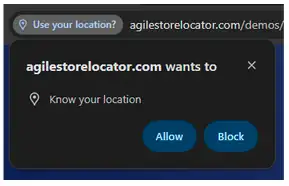
When users visit the page with the locator on it, if they select “use location”, Their browser window will ask permission to share their current location.
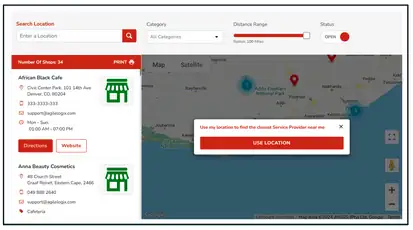
Store locator with a location search, category and distance filters, a store list and a map

Browser prompt asking permission to know the visitor's location

Ben Barin

Strategic & Technical Director at TBST Digital. Ben has spent over 13 years helping businesses across Australia get more from their digital presence — from architecture and development through to SEO, analytics, and long-term strategy. He writes about the things he sees working (and not working) in the real world.

Found this useful?

Explore our tools and guides to put these ideas into practice.

Browse Tools